| |
 Group Administration Group Administration |
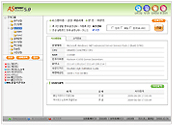 |
Entire customer service staff can be managed in groups according to job and departmental characteristics. Also, the assignment of operating authorization for each group is possible. |
| |
| Group registration and agent group designation is possible from the environment setting and the remote control authorization per group is assigned. Authorization types are classified into chief administrator, secondary administrator, general customer service agent, inquiry user. |
| |
| Group Authorization setting |
Function that restricts the authorization of remote control. Authorizations are restricted by 4 varying types; chief administrator, secondary administrator, general customer service agent, inquiry user
Designate in group setup-authorization setup of the environment setting. Chief administrator’s authorization for remote control S/W, statistical data management, contract information management and all environment setting is assigned to default.
Below each level is restricted by one category. |
|
| |
| Remote Control |
Industry first virtual remote video driver technology enables remote control with faster and smoother control speed.
Red pen draw, resolution adjustment, screen size adjustment, URL transmission, remote command execution file send/receive & control, window system key control, process data, show H/W list, show S/W list, screen caption, clipboard copy, remote AVI view support and chatting function provided. |
|
| |
| File Transfer & Control |
 |
Provides a simple and convenient DRAG & DROP type operating method and File & Folder Transmission, File continuous download & compressed transmission functions.
While in the process of File Transfer, close the window for chatting or other tasks. The File Transfer details & progress status can be checked from a menu on the right side of the remote control screen |
|
| |
| Chatting |
 |
Interface with the customer remotely consulting thru text chatting
Click on chatting from the remote control window for text chatting. |
|
| |
| Processed Detail Logging & Administration |
After providing remote support, check the failure type and enter the processing details then the failure logged and processing details can be managed systematically.
When remote support is concluded, prepare the failure type classified process details and these can be checked and revised from statistics. Customer requisition contents and failure processing contents are available for verification.
Capable of checking the individual agent’s processing details from the administrator screen |
|
| |
Operation statistics: Today’s statistics; per support service personnel, hour, operating system,
failure type and etc. Processed contents & log content detail search & modification possible |
|
| |
| Failure Type Management |
Register and manage local failure types for each company
The statistical data shows the failure type statistics and each failure contents occurring in which OS at one glance.
From the administrator screen, manage, register and modify failure types. Per registered failure types, customer can select the failure type during remote support registration and be able to modify the customer service agent prepared processing detail. |
|
| |
| Appointment Requisitition Function |
| |
This function allows the remote support appointment to be made in advance, thereby shortening the customer waiting period and makes the customer service agent’s job efficiency and customer satisfaction a reality
Advance service requisition is possible when there is a customer service agent in waiting and when one is not available. (Applicable only when advance service requisition function is setup) |
|
| |
| Versatile statistical functions |
 |
Internet AS Doctor shows the most detailed statistical values.
Provides today’s statistics, per customer service agent, per each hour and per operating system statistics and all data are printable in excel format.
|
|
Search for various real-time statistical contents from the administrator screen |
Operation statistics: Today’s statistics; per support service personnel, hour, operating system,
failure type and etc. |
Processed contents & log content detail search & modification possible |
|
| |

 Internet AS Doctor Function

